
Parent Teacher Communication Translator
Free Tool for 16 Languages
A parent teacher communication translator turns your school messages into the language each family speaks, so every parent can understand and act on them. Our free parent teacher communication translator gives teachers ready-made templates and a custom translator for 16 languages. It needs no sign-up and works on any phone.
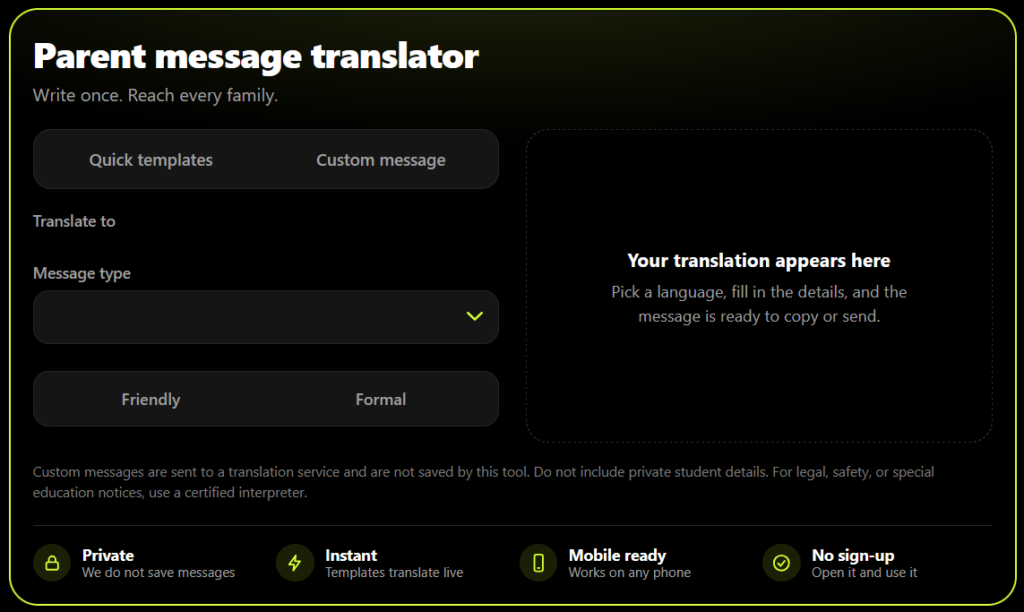
Parent message translator
Write once. Reach every family.
Custom messages are sent to a translation service and are not saved by this tool. Do not include private student details. For legal, safety, or special education notices, use a certified interpreter.
- PrivateWe do not save messages
- InstantTemplates translate live
- Mobile readyWorks on any phone
- No sign-upOpen it and use it
What Is a Parent Teacher Communication Translator?
A parent teacher communication translator is an online tool that converts school-to-home messages into a parent's home language. These messages include absence notices, conference invitations, and homework reminders.
Unlike a general translator, a parent teacher communication translator is built around school messages. It offers ready-made templates, formats dates in the parent's language, and lets you choose a friendly or formal tone. Think of it as a school communication translator for parents that saves teachers time.
Why Schools Need a Parent Teacher Communication Translator
Many families speak a language other than English at home. In fall 2021, about 10.6 percent of U.S. public school students, or 5.3 million, were English learners, according to the National Center for Education Statistics.
When a note about an absence, a late arrival, or a conference is only in English, some parents miss it. A parent teacher communication translator closes that gap in seconds.
The U.S. Department of Education also shares guidance on communicating with limited English proficient parents. Language access rules can change and differ by state, so check your district's current policy.
How to Use the Parent Teacher Communication Translator
Need to translate parent email for school updates? It takes about a minute with this tool.
Choose the parent's language.
Tap a language button. Templates cover Spanish, Arabic, Chinese, Vietnamese, Hindi, French, and Portuguese. Custom messages cover 16 languages.
Pick a template or write your own.
Select a message type, then add the student name, date, and time. Or open the Custom message tab and type your message in English.
Copy, send, or print.
Use Copy, WhatsApp, Email, or Print. Keep "Show English too" on to save a bilingual copy.
Key Features of Our Parent Teacher Communication Translator
7 school message templates
Absence, late arrival, conference, missing homework, good news, early dismissal, and field trip permission.
Friendly or formal tone
Change the greeting and closing with one tap.
Local date and time format
Dates appear the way the parent's language writes them.
Custom message translation
Translate any short message into 16 languages.
Simplify wording
Swaps hard school words for simple ones before you translate.
Check meaning in English
Translates the result back so you can spot problems.
Bilingual output
Keep the English and translated text together.
Easy sharing
Copy, WhatsApp, email, or print.
School Message Templates You Can Translate
Absence notice
ask for a note or a call to the office.
Late arrival
explain why arriving on time helps learning.
Parent teacher conference
invite families and offer an interpreter.
Missing homework
share a due date and offer help.
Good news note
celebrate progress and thank families.
Early dismissal
give the date, time, and pickup reminder.
Field trip permission
ask parents to sign and return the form.
Why This Tool Is Better Than Other PDF Tools
Unlike many popular PDF platforms such as iLovePDF, and Adobe Acrobat Online, this tool freeconvertzo is designed with a simpler, privacy-first experience — so you can complete your PDF task without unnecessary signup steps, complicated interfaces, or waiting for cloud processing. Instead of sending your files to a remote server, browser-based processing can keep your documents on your own device, making the workflow faster, more private, and convenient. Whether you need to add a password, edit, convert, compress, or manage a PDF, this tool focuses on free access, no-watermark output, simple controls, and instant results without making users navigate through unnecessary features or account requirements.
FAQ
Frequently Asked Questions
What is a parent teacher communication translator?
A parent teacher communication translator is an online tool that translates school messages, such as absence notices, conference invitations, and homework reminders, into a parent’s home language. It uses school-focused templates and simple wording, so teachers can reach families faster than with a general translator.
Is the parent teacher communication translator free to use?
Yes. You can use the parent teacher communication translator without creating an account. Choose a language, pick a template or type your own message, and copy the result. The page is built mobile first, so it also works on your phone between classes.
How do I translate parent email for school notices?
Choose the parent’s language, then open the Custom message tab and paste your email in English. Select Translate, check the result, and copy it into your email. Keep the English version below the translation so both languages stay together in one message.
Which languages does the translator support?
Ready-made templates cover Spanish, Arabic, Chinese (Simplified), Vietnamese, Hindi, French, and Portuguese. Custom messages support those seven plus Russian, Korean, Haitian Creole, Somali, Tagalog, Urdu, Bengali, Punjabi, and Amharic, for 16 languages in total.
How can I check that a translated message says what I meant?
Use the Check meaning in English button. It translates the result back into English so you can spot big differences. This is a quick safety check, not a guarantee. If the meaning changes, shorten your sentences, remove idioms, and translate again.
What if my parent's language is not listed?
Try the Custom message tab first, since it covers 16 languages. If a language is missing, ask your school’s language access office, your district’s translation service, or a bilingual colleague. Some districts also offer phone interpreter lines for families who speak less common languages.