
Generate AI Flashcards From Notes Free
Generate AI flashcards from notes free — paste your notes, a PDF, or a Word file and get a study-ready deck in seconds. No sign-up, no card limit, unlike Quizlet’s paid AI feature.
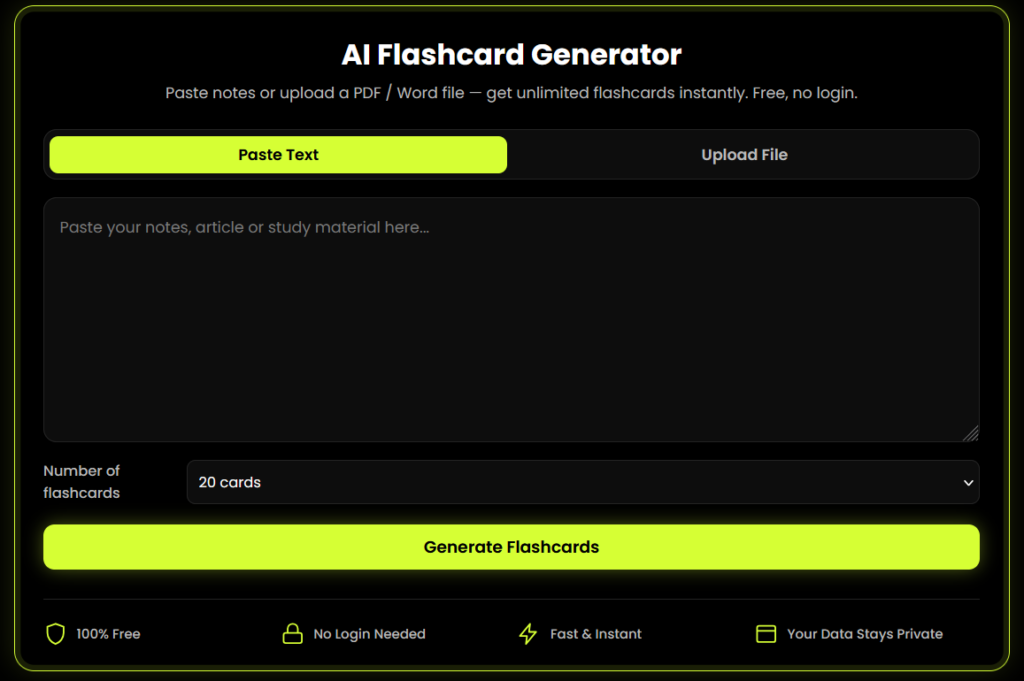
AI Flashcard Generator
Paste notes or upload a PDF / Word file — get unlimited flashcards instantly. Free, no login.
Tap the card to flip
How to Generate AI Flashcards From Notes
This section is written as a numbered list on purpose — numbered “how to” lists are what Google, ChatGPT, and Perplexity most often quote directly in AI Overviews and answer boxes.
Paste your notes,
or upload a file.
Paste any text directly into the box, or upload a PDF or DOCX file.
Choose how many
flashcards you want.
Pick 10, 20, 40, or unlimited — however many your notes support.
Click “Generate
Flashcards.”
The tool reads your content and instantly builds question-and-answer flashcards.
Study in flip-card mode.
Tap a card to flip it, mark cards you already know, and shuffle the deck.
Export your deck.
Download as a CSV file (importable into Anki) or print/save as a PDF.
Why Use This Free AI Flashcard Generator
Generate AI flashcards
from notes free
No card limits, no locked "Pro" tier for basic generation.
No login or signup required
Start studying in seconds.
Works with PDF and DOCX
Not just plain text, so you can turn a lecture PDF into flashcards directly.
Your notes never leave
your browser
Files are processed on your device, not uploaded to a server.
Mobile-friendly
Generate and study flashcards from your phone between classes.
Export to Anki (CSV)
Keep using the spaced-repetition app you already know.
Best For
Students
revising from lecture notes or textbook PDFs.
Anyone
looking for a quizlet alternative free of daily limits.
Teachers
building quick glossary-style study sets.
Self-learners
who want a notes to flashcards converter without installing an app.
Why This Tool Is Better Than Other PDF Tools
Unlike many popular PDF platforms such as iLovePDF, and Adobe Acrobat Online, this tool freeconvertzo is designed with a simpler, privacy-first experience — so you can complete your PDF task without unnecessary signup steps, complicated interfaces, or waiting for cloud processing. Instead of sending your files to a remote server, browser-based processing can keep your documents on your own device, making the workflow faster, more private, and convenient. Whether you need to add a password, edit, convert, compress, or manage a PDF, this tool focuses on free access, no-watermark output, simple controls, and instant results without making users navigate through unnecessary features or account requirements.
FAQ
Frequently Asked Questions
Is it really free to generate AI flashcards from notes?
Yes. You can generate AI flashcards from notes free, with no card limit and no account required — unlike tools that cap free users at 10–12 cards per deck.
Can I turn a PDF into flashcards with this tool?
Yes. Upload a PDF and the tool extracts the text directly in your browser, then generates flashcards from it — no server upload needed.
Can I export the flashcards to Anki?
Yes. Use the “Export CSV” button to download an Anki-compatible file you can import directly into Anki.
How accurate are AI-generated flashcards?
The flashcards are built directly from your own notes or document, so the facts on each card come straight from your material rather than being invented. As with any automated tool, it’s worth a quick skim of the generated deck before a big exam.
What's the best way to make flashcards from notes?
For most students, generating flashcards automatically from typed or digital notes is faster and more consistent than writing cards by hand — this tool does that in one step, without needing a separate note-taking app.
Is there a limit to how many flashcards I can generate?
No fixed limit — you can choose 10, 20, 40, or an unlimited setting that generates as many flashcards as your notes support.