
Free Citation Generator
APA, MLA, Chicago & Harvard, No Sign-Up
Free citation generator for APA, MLA, Chicago & Harvard — no sign-up, no limits. Paste a URL or type details, generate unlimited citations instantly.
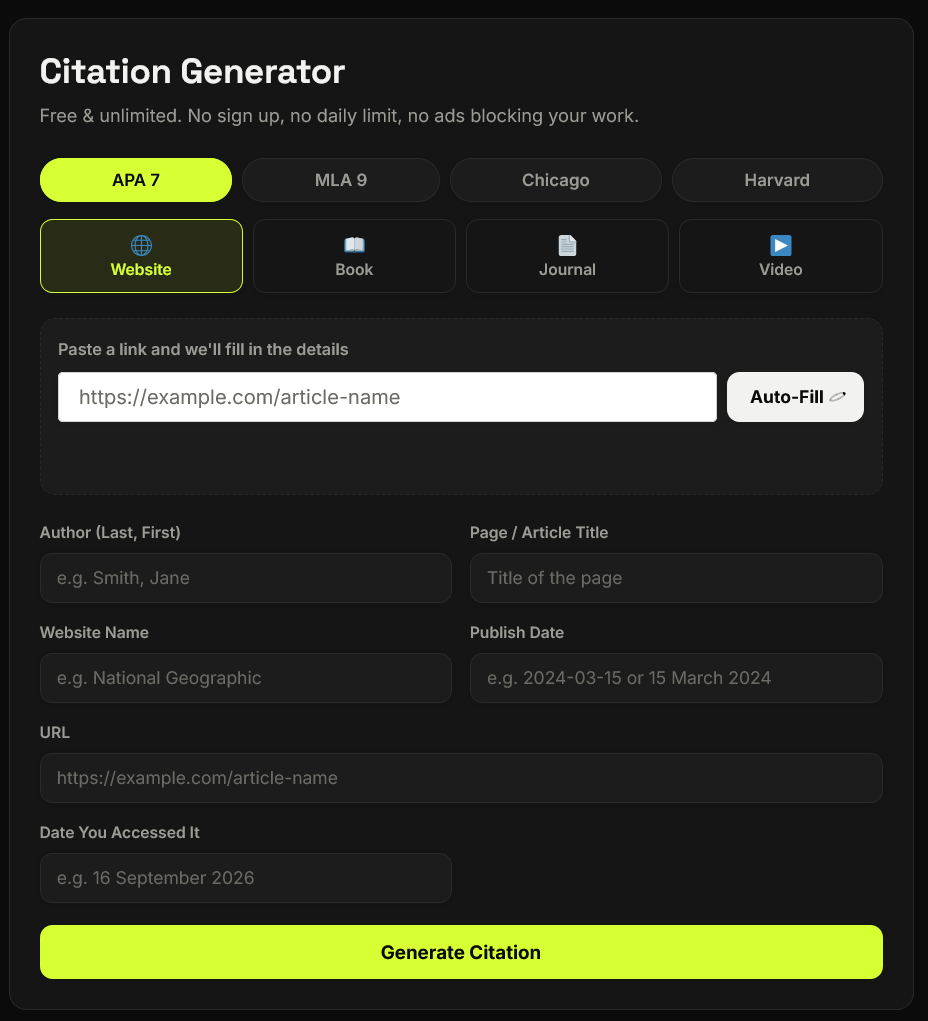
Citation Generator
Free & unlimited. No sign up, no daily limit, no ads blocking your work.
Your Bibliography (0)
- Citations you generate will appear here. Nothing is saved to a server — it's just yours, on this device.
What Is a Citation Generator?
A citation generator is a tool that automatically formats the source information you provide — author, title, publish date, publisher — into the exact punctuation, spacing, and order required by a specific academic style. A free citation generator does this without asking for payment, an account, or a login, so you can generate as many references as your paper needs.
Most students run into the same problem: citation rules are strict, easy to get wrong, and time-consuming to memorize for every source type. This tool removes that friction completely — you fill in a few fields, and the correct format comes out instantly.
How This Free Citation Generator Works
Paste a link
Add the URL of the source you want to cite.
Select citation style
Choose from APA 7, MLA 9, Chicago, or Harvard.
Fill in details
Add the author, title, website name, and publish date (if needed).
Use Auto-Fill
Let the tool fetch and fill in information instantly.
Click Generate
Get your perfectly formatted citation in seconds.
Copy & use
Copy the citation and paste it into your paper.
Why Use a Free Citation Generator Instead of Doing It Manually
Compare the difference between formatting citations manually and using a free citation generator for faster, more consistent results.
Manual Citation
Formatting every source by yourself
Free Citation Generator
Let the tool format your references instantly
Citation Styles Supported
Choose from popular academic citation styles and generate properly formatted references for your research papers and assignments.
APA Citation Generator (Free)
Used mainly in psychology, education, and the social sciences. Our apa citation generator free tool follows APA 7th edition rules exactly — author initials, publication year in parentheses, and correct italics for titles.
MLA Format Generator (No Sign-Up)
Common in English, literature, and humanities courses. This mla format generator no sign up tool follows MLA 9th edition guidelines, including proper container formatting for websites and journal articles.
Chicago Style Citation Maker
Popular in history and business writing. Our chicago style citation maker supports the author-date format used in Chicago's 17th edition.
Harvard Referencing Generator
Standard across UK, Australian, and many international universities. Generates properly bracketed author-date citations with an "Accessed" date for online sources.
Who Uses This Free Citation Generator?
Built for students, writers, researchers, and anyone who needs properly formatted citations quickly.
College & University Students
Writing essays, research papers, dissertations, and academic assignments with properly formatted citations.
Bloggers & Content Writers
Creating articles and content while giving proper credit to sources and references.
Researchers & Academics
Preparing research papers, academic work, and journal submissions with consistent references.
High School Students
Working on project reports, assignments, and school research that require properly credited sources.
What Makes This Citation Generator Different
A simple citation tool designed to make referencing faster, easier, and less frustrating.
Truly unlimited — generate as many citations as your paper needs, with no daily cap
No sign-up or account required — start generating citations the moment you land on the page
No ads interrupting your workflow
Auto-fill from URL — paste a link and skip manual data entry
Built-in bibliography list — collect every citation in one place, then copy or download it all at once
Works on any device — fully responsive, so it works the same on mobile as it does on desktop
Why This Tool Is Better Than Other PDF Tools
Unlike many popular PDF platforms such as iLovePDF, and Adobe Acrobat Online, this tool freeconvertzo is designed with a simpler, privacy-first experience — so you can complete your PDF task without unnecessary signup steps, complicated interfaces, or waiting for cloud processing. Instead of sending your files to a remote server, browser-based processing can keep your documents on your own device, making the workflow faster, more private, and convenient. Whether you need to add a password, edit, convert, compress, or manage a PDF, this tool focuses on free access, no-watermark output, simple controls, and instant results without making users navigate through unnecessary features or account requirements.
FAQ
Frequently Asked Questions
What is a citation generator?
A citation generator is an online tool that automatically formats your source information — author, title, date, publisher — into a properly styled reference for APA, MLA, Chicago, or Harvard. Instead of manually applying formatting rules, you simply enter details such as a URL, title, or author name, and the tool builds an accurate, ready-to-use citation for you.
How does a free citation generator work?
You choose your citation style (APA, MLA, Chicago, or Harvard), select the source type (website, book, journal, or video), then either paste a link or type in the details manually. The tool instantly generates a correctly formatted citation you can copy straight into your paper.
How accurate are citation generators?
Accuracy depends on the tool and how correctly you enter your source details. Even well-known tools recommend double-checking: one university library notes that EasyBib and Citation Machine are free online citation tools, but since they aren’t supported or vetted by the library, accuracy isn’t guaranteed — so citations should be checked against the official style guidelines. This is true of any automated tool, including this one — always do a quick manual check against your institution’s exact style requirements.
What are the best free alternatives to EasyBib or Citation Machine?
The most commonly recommended free and ad-light alternative is MyBib, which supports APA, MLA, Chicago, Harvard and thousands of other styles. Other frequently mentioned options include BibMe and standalone free tools like this one, which skip the sign-up wall entirely.
What's the difference between APA and MLA citation format?
APA (7th edition) is used mainly in psychology, education, and social sciences, and emphasizes the publication year right after the author’s name. MLA (9th edition) is used mainly in literature and humanities, and emphasizes the page number in in-text citations instead of the year.
How do I cite a YouTube video in MLA or APA format?
For MLA: list the creator or channel name, the video title in quotation marks, the platform name, the upload date, and the URL. For APA: use the channel name, the upload date in parentheses, the video title followed by “[Video],” the platform name, and the URL. This tool auto-formats both when you select “Video” as the source type.