
PDF to PPT Converter Without Losing Formatting
Convert any PDF into fully editable PowerPoint slides — fonts, layouts, images, and spacing stay exactly as they were. Free, no sign-up, no watermark, and nothing ever leaves your browser.
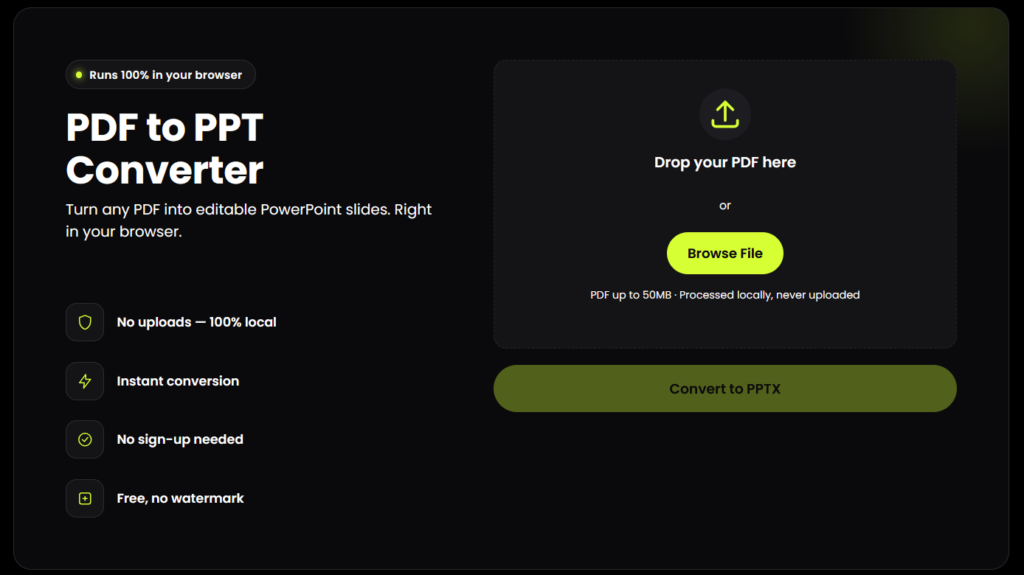
PDF to PPT Converter
Turn any PDF into editable PowerPoint slides. Right in your browser.
Drop your PDF here
or
PDF up to 50MB · Processed locally, never uploaded
document.pdf
0 pages · 0 MB
Reading PDF…
Your slides are ready
0 slides generated
How to Convert PDF to PPT Without Losing Formatting
Upload your PDF
Drag and drop it, or click Browse File.
Choose Standard or
High Fidelity quality.
Choose the quality mode that works best for your presentation.
Click Convert to PPTX
Click Convert to PPTX and watch the live progress bar.
Download your .pptx file
Open it directly in PowerPoint, Google Slides, and formatted exactly like your source PDF.
How to Convert PDF to PPT Without Losing Formatting
Most free converters rebuild your file from scratch — guessing at fonts, reflowing text boxes, and stretching images until tables and layouts fall apart. This PDF to PPT converter is built specifically to avoid losing formatting: every page is captured exactly as designed and placed onto a slide at the same proportions, so nothing shifts, resizes, or reflows.
Fonts and text
styling — no
substitutions
Original spacing,
margins, and
alignment
Tables, charts,
and diagrams
Image quality
and placement
Page-to-slide
aspect ratio
Why This PDF to PPT Converter Doesn't Break Your Formatting
Most free converters rebuild your file from scratch — guessing at fonts, reflowing text boxes, and stretching images until tables and layouts fall apart. This PDF to PPT converter is built specifically to avoid losing formatting: every page is captured exactly as designed and placed onto a slide at the same proportions, so nothing shifts, resizes, or reflows.
What stays intact:
- Fonts and text styling — no substitutions
- Original spacing, margins, and alignment
- Tables, charts, and diagrams
- Image quality and placement
- Page-to-slide aspect ratio
Key Features
No formatting loss — pixel-accurate conversion, page by page
No API key required — works entirely client-side
100% private — your PDF never leaves your browser or touches a server
No sign-up, no watermark — download immediately
Standard & High Fidelity modes — choose speed or maximum sharpness
Instant progress tracking — live percentage while converting
Works on any device — desktop and mobile, no installation
Easy to use — simple interface, no installation required
Is My PDF Safe? (Privacy & Security)
Yes. This tool runs entirely in your browser using client-side JavaScript — your PDF is never uploaded to any server, so there's no API key, no cloud processing, and no data retention to worry about. This is different from most online converters, which upload your file to a remote server before returning a result.
Why This Tool Is Better Than Other PDF Tools
Unlike many popular PDF platforms such as iLovePDF, and Adobe Acrobat Online, this tool freeconvertzo is designed with a simpler, privacy-first experience — so you can complete your PDF task without unnecessary signup steps, complicated interfaces, or waiting for cloud processing. Instead of sending your files to a remote server, browser-based processing can keep your documents on your own device, making the workflow faster, more private, and convenient. Whether you need to add a password, edit, convert, compress, or manage a PDF, this tool focuses on free access, no-watermark output, simple controls, and instant results without making users navigate through unnecessary features or account requirements.
FAQ
Frequently Asked Questions
Does converting PDF to PPT lose formatting?
It can with converters that rebuild your content from scratch, but not with this tool. Every PDF page is rendered exactly as designed and placed onto a matching PowerPoint slide, so fonts, colors, spacing, and layout look identical to your original PDF.
Why do fonts change when I convert a PDF to PowerPoint?
Most converters try to recreate your text using fonts installed on their server, and if your original font isn’t available, it gets substituted — which shifts spacing and line breaks. This tool avoids that entirely by rendering each page as-is instead of rebuilding the text, so there’s no font to substitute.
Is this PDF to PPT converter free?
Yes. It’s completely free, with no watermark added to your downloaded file and no account required.
Can I edit the text after converting?
You can edit the slide itself — reorder, delete, resize, or add new text and slides — but the text from your original PDF is part of the rendered page image, not a separate editable text box. If you need to rewrite specific sentences, you’d retype that section rather than click into the existing text.
Can I convert a scanned PDF to PowerPoint?
Yes, visually. A scanned PDF converts the same way as any other — the page image is placed onto the slide — but keep in mind the text in a scan isn’t selectable in the PDF either, so it won’t be selectable in the slide (this tool doesn’t perform OCR).
Will the slide size match my PDF's page size?
Yes. Each slide is automatically sized to match your PDF page’s proportions, so nothing gets stretched, cropped, or letterboxed unexpectedly.