
PDF Form Filler Online Free
Fill, Edit & Download PDF Forms Instantly
Our PDF form filler online free tool lets you fill out any PDF form directly in your browser — no downloads, no installs, and no account required. Whether you’re completing a job application, a government form, or a business document, simply upload your file, fill in the fields, and download the completed PDF in seconds. It’s fast, private, and works on desktop and mobile alike.
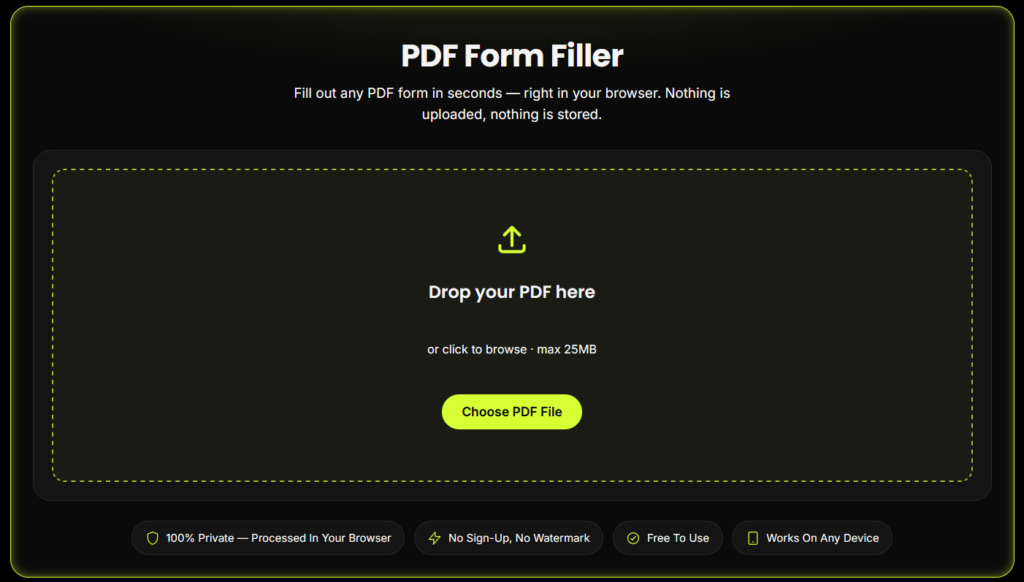
PDF Form Filler
Fill out any PDF form in seconds — right in your browser. Nothing is uploaded, nothing is stored.
Drop your PDF here
or click to browse · max 25MB
Form Fields
0 fieldsDraw your signature
Sign inside the box using your mouse, trackpad or finger.
Final preview
What Is a PDF Form Filler?
A PDF form filler is a tool that lets you type directly into a PDF document's form fields — text boxes, checkboxes, dropdowns, and radio buttons — without printing, signing by hand, or scanning it back in. Our PDF form filler online free tool does this entirely inside your browser, so your document is never uploaded to a server.
How to Use This PDF Form Filler Online Free Tool
Upload your PDF
Drag and drop your file, or click "Choose PDF File."
Fill in the fields
The tool automatically detects fillable fields (text, checkboxes, dropdowns, radio buttons). If your PDF has no fillable fields, click anywhere on the page to type instead.
Download your completed PDF
Click "Download Filled PDF" and your finished document saves straight to your device.
Why Use Our Free PDF Form Filler Online
100% Free — no hidden charges, no premium paywall for basic filling
No Sign-Up Required — start filling your PDF the moment you land on the page
100% Private — your PDF is processed locally in your browser and never uploaded to a server
No Watermarks — download a clean, professional PDF
Works on Any Device — desktop, tablet, or mobile
Fast — most forms are filled and downloaded in under a minute
Who Uses This PDF Form Filler Online Free Tool?
Job seekers
Filling out application forms
Students
Completing admission or scholarship forms
Freelancers & small businesses
Filling contracts and agreements
Anyone
Filling government, legal, or medical PDF forms without printing
Why This Tool Is Better Than Other PDF Tools
Unlike many popular PDF platforms such as iLovePDF, and Adobe Acrobat Online, this tool freeconvertzo is designed with a simpler, privacy-first experience — so you can complete your PDF task without unnecessary signup steps, complicated interfaces, or waiting for cloud processing. Instead of sending your files to a remote server, browser-based processing can keep your documents on your own device, making the workflow faster, more private, and convenient. Whether you need to add a password, edit, convert, compress, or manage a PDF, this tool focuses on free access, no-watermark output, simple controls, and instant results without making users navigate through unnecessary features or account requirements.
FAQ
Frequently Asked Questions
Is it safe to fill out a PDF form online?
Yes, as long as the tool processes your file locally in your browser instead of uploading it to a server. Our PDF form filler runs entirely client-side — your document, including any personal or financial details, never leaves your device.
Will my filled PDF have a watermark?
No. Many free PDF tools add a watermark or logo to your downloaded file — ours doesn’t. Your completed PDF is clean and ready to submit.
How do I fill out a PDF form online?
Upload your PDF to a browser-based PDF form filler, fill in the detected form fields (or click anywhere to type if there are none), then download the completed file — no software installation needed.
How do I sign a PDF form after filling it out?
Most PDF form fillers include a signature option — type your name in a signature-style font, draw it with your mouse or finger, or upload an image of your handwritten signature.
Can I fill a PDF form on Google Drive?
Yes, Google Drive can open PDFs for basic viewing and light editing on Android, but for full form-filling with proper field detection, a dedicated PDF form filler tool gives more reliable results.
Why won't my PDF form let me type into it?
This usually means the PDF doesn’t have real fillable form fields (it’s a “flat” or scanned PDF). Use a tool with a click-to-type or text-overlay feature to add text anywhere on the page instead.