
Convert PDF to EPUB Online
Free, Fast & Kindle-Ready
If you’ve ever tried to read a PDF on a Kindle or phone, you already know the problem: the text doesn’t resize, lines run off the screen, and you spend more time zooming than reading. The fix is simple — convert PDF to EPUB online and get a file that reflows to fit any screen, just like a real ebook.
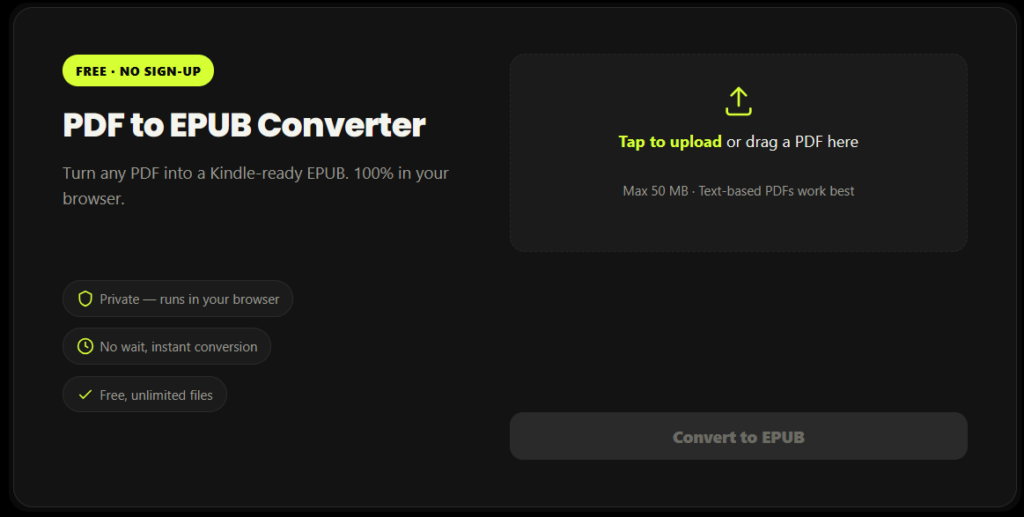
PDF to EPUB Converter
Turn any PDF into a Kindle-ready EPUB. 100% in your browser.
Tap to upload or drag a PDF here
Max 50 MB · Text-based PDFs work best
Reading PDF…
How to Convert PDF to EPUB Online in 3 Steps
Upload your PDF
Tap to upload or drag and drop your PDF file.
Convert instantly
We'll convert your PDF to a clean, Kindle-ready EPUB in seconds.
Download your EPUB
Tap the download button to save your EPUB file. That's it.
What Makes This the Best Way to Convert PDF to EPUB Online
Runs 100% in your browser — your PDF is never uploaded anywhere, which matters if your document is private or confidential
No sign-up, no email, no watermark
Unlimited conversions, completely free
Fast — most PDFs convert in a few seconds, not minutes
Mobile-friendly — convert PDF to EPUB online from your phone just as easily as from a desktop
Convert PDF to EPUB for Kindle, Kobo & Any E-Reader
Amazon Kindle
add it to your library using Send to Kindle (web, app, or email)
Kobo, Nook & Other E-Readers
Kobo, Nook, and other dedicated e-readers
Apple Books
on iPhone and iPad
Google Play Books
and other Android reading apps
Authoritative Sources for EPUB
Rank Math and Google both reward pages that link out to relevant, authoritative, non-competing sources — it signals the page is well-researched rather than an isolated sales page.
The three links below are chosen deliberately:
-
✓W3C EPUB spec
The official W3C specification for the EPUB 3.3 standard used by the format your tool produces.
-
✓Amazon's official Send to Kindle page
A useful official resource for users who want to send their EPUB files to Kindle devices and apps.
-
✓Wikipedia EPUB article
A broad reference covering the EPUB format, its history, structure, and compatibility.
References
Why This Tool Is Better Than Other PDF Tools
Unlike many popular PDF platforms such as iLovePDF, and Adobe Acrobat Online, this tool freeconvertzo is designed with a simpler, privacy-first experience — so you can complete your PDF task without unnecessary signup steps, complicated interfaces, or waiting for cloud processing. Instead of sending your files to a remote server, browser-based processing can keep your documents on your own device, making the workflow faster, more private, and convenient. Whether you need to add a password, edit, convert, compress, or manage a PDF, this tool focuses on free access, no-watermark output, simple controls, and instant results without making users navigate through unnecessary features or account requirements.
FAQ
Frequently Asked Questions
Is this PDF to EPUB converter really free?
Yes — you can convert PDF to EPUB online here for free, with no sign-up, no watermark, and no daily conversion limit. Unlike many competitors that cap free users at a few files per day or add a watermark, this tool has no such restrictions because the conversion runs in your own browser instead of on a paid server.
Can I convert PDF to EPUB without losing formatting?
Text-based PDFs (reports, articles, manuscripts, ebooks) convert cleanly with paragraphs and chapter headings intact. Heavily designed PDFs — magazines, textbooks with complex tables, or multi-column layouts — are harder for any PDF to EPUB converter to preserve perfectly, since EPUB is a reflowable format and some fixed visual layouts simply can’t reflow without some adjustment.
Does Kindle support EPUB files directly?
Not directly on the device — but you can still get an EPUB onto your Kindle easily via Amazon’s Send to Kindle service, which automatically converts it to a Kindle-compatible format on delivery. You cannot simply copy a .epub file onto a Kindle over USB and have it open; it has to go through Send to Kindle (web, email, or app) first.
How do I get a PDF onto my Kindle as an EPUB?
Convert your PDF to EPUB online first using a tool like this one, then send the resulting EPUB file to your Kindle using Amazon’s Send to Kindle (web upload, the Send to Kindle app, or by emailing it to your Kindle’s @kindle.com address). This two-step process gives you a properly reflowable book instead of the zoomed-in, hard-to-read PDF experience on a Kindle screen.
What's the real difference between PDF and EPUB?
PDF is a fixed-layout format where every page looks identical no matter what device opens it, while EPUB is reflowable, meaning the same content automatically adjusts to fit any screen size and font choice. This is exactly why people convert PDF to EPUB online before reading on a phone, tablet, or e-reader — PDFs force you to zoom and scroll, EPUBs don’t.
Is it safe to convert PDF to EPUB online? Where does my file go?
With this tool, your file never leaves your device — the entire conversion happens locally in your browser, so nothing is uploaded to a server at any point. This is different from most online converters, which upload your PDF to their servers, process it there, and (usually) delete it after a few hours — safe enough for most files, but not ideal if your document is private or confidential.