
PDF to Text Converter Without Sign Up
A PDF to text converter without sign up lets you extract plain text from any PDF file directly in your browser — no account, no email, no upload to a server, and no watermark. Simply drag your PDF in, and the extracted text is ready to copy or download as a .txt file in seconds.
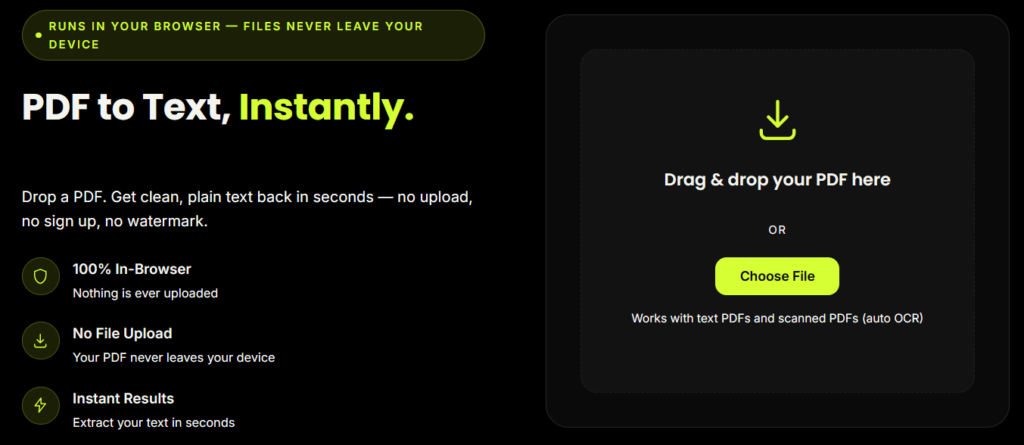
PDF to Text, Instantly.
Drop a PDF. Get clean, plain text back in seconds — no upload, no sign up, no watermark.
PDF to Text, Instantly.
Drop a PDF. Get clean, plain text back in seconds. Nothing ever leaves your device.
Drag & drop your PDF here
or
Works with text PDFs and scanned PDFs (auto OCR)
Reading your file…
How to Convert PDF to Text Without Signing Up
Upload your PDF
Drag and drop the file, or tap "Choose File."
Let the tool read it
Text-based PDFs are extracted instantly; scanned PDFs trigger automatic OCR.
Copy or download
Grab the text with one click, or download it as a ready-to-use .txt file.
What Is This PDF to Text Converter Without Sign Up?
Most online PDF tools force you to create an account, verify your email, or upload sensitive files to an unknown server before you can convert anything. This pdf to text converter without sign up works differently. It runs entirely inside your browser, so your PDF is never uploaded anywhere — you get clean, plain text output in seconds, with zero registration required.
Whether you need to extract a paragraph from a report, pull data from an invoice, or convert an entire scanned document into editable text, this free tool handles it instantly.
Why Choose a PDF to Text Converter Without Sign Up?
No account, no email, no password — open the page and start converting immediately.
100% private — your file is processed locally in your browser using pdf.js; it's never sent to a server.
Works with scanned PDFs too — built-in OCR automatically kicks in for scanned pages, so even image-based PDFs convert to text.
No watermark, no page limits, no hidden paywall.
Mobile-friendly — the entire tool fits and works on a single mobile screen.
Fast — most text-based PDFs convert in under a few seconds.
Why Choose a PDF to Text Converter Without Sign Up?
Unlike most converters that require an upload to a third-party server (raising privacy concerns for sensitive documents like contracts or financial statements), this tool processes everything client-side. According to the Electronic Frontier Foundation's guidance on online privacy , avoiding unnecessary uploads of personal documents to third-party servers is one of the simplest ways to reduce your exposure to data breaches. A pdf to text converter without sign up that also skips the upload step gives you both convenience and privacy in one place.
For a technical look at how in-browser PDF parsing works, see Mozilla's pdf.js project documentation , the open-source engine that powers this kind of client-side extraction.
Your Files
Stay on Your Device
Why This Tool Is Better Than Other PDF Tools
Unlike many popular PDF platforms such as iLovePDF, and Adobe Acrobat Online, this tool freeconvertzo is designed with a simpler, privacy-first experience — so you can complete your PDF task without unnecessary signup steps, complicated interfaces, or waiting for cloud processing. Instead of sending your files to a remote server, browser-based processing can keep your documents on your own device, making the workflow faster, more private, and convenient. Whether you need to add a password, edit, convert, compress, or manage a PDF, this tool focuses on free access, no-watermark output, simple controls, and instant results without making users navigate through unnecessary features or account requirements.
FAQ
Frequently Asked Questions
How do I convert a PDF to text?
Upload or drag your PDF into the converter. If the PDF has selectable text, it’s extracted instantly. If it’s a scanned document, the tool automatically runs OCR to read the text from the image. Copy the result or download it as a .txt file — no software installation needed.
Can this tool convert scanned PDFs to text?
Yes. If a page has no selectable text (common with scanned documents, faxes, or photographed pages), the converter automatically switches to OCR (Optical Character Recognition) to read and extract the text from the image.
Do I need to sign up or create an account?
No. There’s no account, no email verification, and no login required. Open the page and start converting immediately.
What's the difference between PDF to text and OCR?
PDF-to-text extraction pulls existing selectable text directly out of a digital PDF — it’s instant. OCR (Optical Character Recognition) is used when the PDF is actually an image (a scan or photo) with no selectable text; it reads the shapes of letters and converts them into text. This tool does both automatically, depending on what your file needs.
Will the extracted text keep the original formatting?
No — and that’s expected. PDF-to-text conversion strips layout elements like fonts, colors, tables, and images, and returns clean plain text. This is ideal for copying quotes, feeding text into AI tools, searching, or reusing content. If you need to preserve formatting and tables, a PDF-to-Word or PDF-to-Excel tool is a better fit.
Why does my scanned PDF's text have errors after conversion?
OCR accuracy depends on scan quality — resolution, contrast, page angle, and font clarity all affect results. Clean, high-resolution scans convert with the fewest errors; blurry or skewed scans may need manual review after conversion.