
Free PDF Editor – No Signup Required
Edit, highlight, annotate, draw, and sign your PDF files directly in your browser. This free PDF editor with no signup required means you never create an account, never wait for email verification, and never upload your file to a stranger’s server. Open a PDF, make your changes, and download — that’s it.
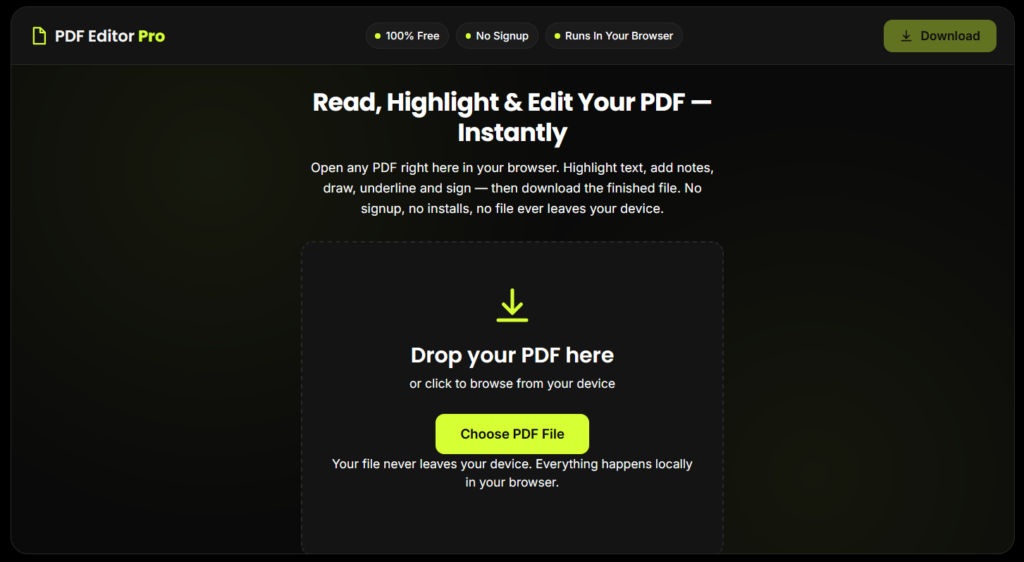
Read, Highlight & Edit Your PDF — Instantly
Open any PDF right here in your browser. Highlight text, add notes, draw, underline and sign — then download the finished file. No signup, no installs, no file ever leaves your device.
Drop your PDF here
or click to browse from your device
Your file never leaves your device. Everything happens locally in your browser.
Add Your Signature
Click to upload a signature image
(PNG with transparent background works best)
Preparing your PDF...
More Than Just PDFs — One Tool, Four Formats
Open the tool
No login screen, no account creation.
Upload your PDF
Drag and drop the file, or click "Choose PDF File."
Pick a tool
Highlight, underline, draw, add text, add a sticky note, or sign.
Make your edits
Click and drag directly on the page; use undo/redo anytime.
Download instantly
Click "Download" to save your finished, watermark-free PDF.
Key Features
Highlight Text
Drag over any part of your PDF to highlight it in your choice of color — perfect for reviewing contracts, studying notes, or marking up reports.
Add Text Anywhere
Click anywhere on the page and type. Add comments, fill in blanks, or label diagrams directly on the PDF.
Freehand Draw
Use the pen tool to draw, circle important sections, or sketch directly on the page — works with mouse, trackpad, or touchscreen.
Underline & Strikethrough
Mark up text for editing or proofreading with one-click underline and strikethrough tools.
Sticky Notes & Comments
Leave a comment bubble anywhere on the page without cluttering the visible text — click to expand and read.
Signature — Draw or Upload
Sign your PDF by drawing your signature with your mouse/finger, or upload an image of your existing signature.
Dark Reading Mode
Flip to a dark, eye-friendly reading view for long documents — great for night-time reading.
Fully Mobile Responsive
The entire tool fits on one mobile screen — no pinching, no zooming out to find buttons.
What Is a "No Signup" PDF Editor?
A free PDF editor with no signup is a browser-based tool that lets you open, edit, and download PDF files without creating an account, entering an email address, or installing any software. Every action — highlighting, annotating, drawing, adding text, and signing — happens locally in your browser using your device's own processing power. Your file is never transmitted to a server, which is what makes this approach both faster and more private than traditional "upload-and-wait" PDF editors.
This is different from tools like Adobe Acrobat or DocuSign, which typically require an account before you can save or download your edited file.
Why This Tool Is Better Than Other PDF Tools
Unlike many popular PDF platforms such as iLovePDF, and Adobe Acrobat Online, this tool freeconvertzo is designed with a simpler, privacy-first experience — so you can complete your PDF task without unnecessary signup steps, complicated interfaces, or waiting for cloud processing. Instead of sending your files to a remote server, browser-based processing can keep your documents on your own device, making the workflow faster, more private, and convenient. Whether you need to add a password, edit, convert, compress, or manage a PDF, this tool focuses on free access, no-watermark output, simple controls, and instant results without making users navigate through unnecessary features or account requirements.
FAQ
Frequently Asked Questions
Is there a truly free PDF editor with no signup?
Yes. This PDF editor requires no account, no email address, and no credit card. Upload your PDF, make your edits — highlight, annotate, draw, sign — and download the finished file directly, with no signup step at any point.
How do I highlight text in a PDF online for free?
Open your PDF in the tool, select the Highlight tool from the toolbar, choose a color, then click and drag over the text or area you want to highlight. Your highlight appears instantly and stays in place until you download the file.
Can I change the highlight color?
Yes. Pick from the color swatches in the toolbar before highlighting — you can use different colors for different sections, such as one color for key facts and another for questions.
Can I add comments or sticky notes to a PDF?
Yes. Use the Sticky Note tool to click anywhere on the page and type a comment — it appears as a small icon that expands when clicked, so it doesn’t clutter the page like inline text does.
How do I underline or strikethrough text in a PDF?
Select the Underline or Strikethrough tool from the toolbar, then click and drag across the text — the line is added instantly and can be erased or moved at any time before you download.
Can I upload an image of my handwritten signature instead of drawing one?
Yes. Sign a blank piece of paper, take a clear photo or scan of it, and upload that image directly — many people prefer this over drawing with a mouse because it looks closer to their real signature.