
Group Project Task Divider
Split Group Work Fairly in Minutes
A group project task divider is a free online tool that splits group project work fairly among teammates and tracks who has finished what. Instead of guessing who should do what, you add your team, list the tasks, and let the tool balance the workload by effort — not just by how many tasks each person has.
What Is a Group Project Task Divider?
A group project task divider is a lightweight web tool built specifically for splitting shared coursework or team assignments evenly. Unlike a general task manager, a group project task divider measures each task's effort — not just its existence — so one heavy task and three light tasks can be balanced against two medium ones. The result is a division of labor that actually feels fair to every teammate, not just one that looks fair on paper.
Why Group Projects Feel Unfair
Ask almost any student or team member, and they'll tell you the same story: one or two people end up carrying most of a group project while the rest coast. This isn't just a perception problem — management research on fair workload distribution points out that keeping work evenly spread across a team is one of the hardest parts of leading any group, and the risk of resentment is real when the load isn't balanced. On top of that, most groups have no shared, visible record of who is doing what — so disagreements only surface once a deadline is already close.
A group project task divider solves both problems at once: it assigns work based on actual effort, and it gives the whole team one shared page to see real-time progress.
How the Group Project Task Divider Works
Using the group project task divider takes less than two minutes to set up:
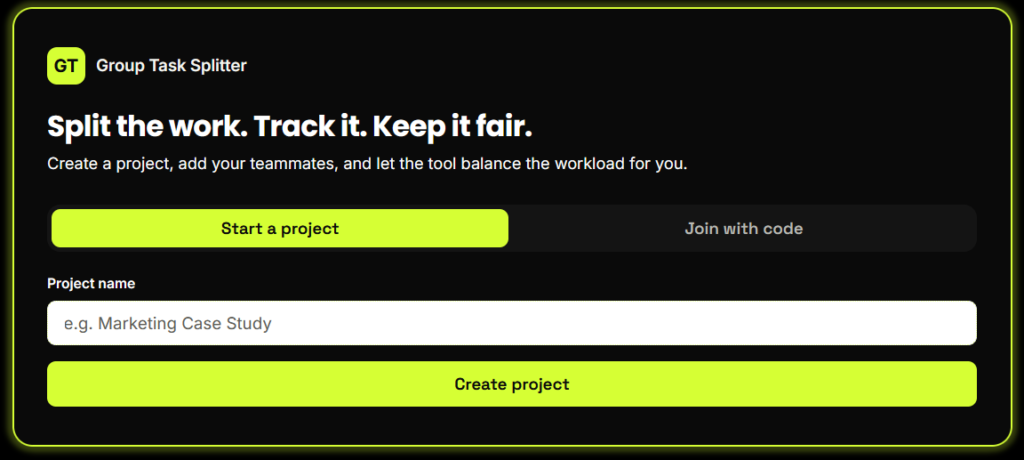
Start a Project
Create a project and get a short, shareable code. No sign-up, no email required — just share the code with your team.
Add Your Teammates
Every member of the group gets added by name. They join using the same project code from any device.
List the Tasks and Their Effort
Break the project into tasks and give each one an effort score from 1 (light) to 5 (heavy). This is what makes the group project task divider fair — it balances total effort, not just task count.
Auto-Assign Fairly
One click spreads the tasks across the team so total effort stays as even as possible for everyone.
Track Progress Together
Every teammate updates their task status (To Do, In Progress, Done), and the whole group can see live progress bars — no more "wait, did you even start yet?" messages.
Key Features of This Group Project Task Divider
Effort-weighted fairness
Balances real workload, not just the number of tasks.
One-click auto-assign
Instantly spreads work evenly across the team.
Live progress tracking
Everyone sees the same up-to-date board.
No login required
Join with a simple share code.
Mobile-friendly
Works cleanly on a phone screen, not just a laptop.
Fast and lightweight
No heavy software or downloads.
Who Should Use a Group Project Task Divider?
A group project task divider is built for anyone splitting shared work among a team:
Students
Working on coursework, presentations, or research projects.
Remote teams
Collaborating asynchronously across time zones.
Hackathon or club teams
Who need to divide tasks fast under a deadline.
Any small group
That has struggled with one person doing most of the work before.
Why This Tool Is Better Than Other PDF Tools
Unlike many popular PDF platforms such as iLovePDF, and Adobe Acrobat Online, this tool freeconvertzo is designed with a simpler, privacy-first experience — so you can complete your PDF task without unnecessary signup steps, complicated interfaces, or waiting for cloud processing. Instead of sending your files to a remote server, browser-based processing can keep your documents on your own device, making the workflow faster, more private, and convenient. Whether you need to add a password, edit, convert, compress, or manage a PDF, this tool focuses on free access, no-watermark output, simple controls, and instant results without making users navigate through unnecessary features or account requirements.
FAQ
Frequently Asked Questions
What is a group project task divider?
A group project task divider is a free tool that splits group project tasks among teammates based on effort, then tracks each person’s progress in one shared, live view — instead of everyone guessing who’s doing what.
How do you split tasks fairly in a group project?
The fairest way is to weight each task by effort — not just count tasks equally — then balance total effort across the team. A group project task divider does this automatically with one click, instead of you eyeballing it in a group chat.
How do I assign tasks to team members fairly?
Break the project into individual tasks, give each one an effort score, then distribute tasks so every member’s total effort is roughly equal — not just their number of tasks. A group project task divider automates this balancing step instantly.
How can I track who did what in a group project?
Use a shared, live task board where every teammate updates their own status (To Do, In Progress, Done). A group project task divider gives the whole team one page that shows exactly who’s finished what, so nothing depends on memory or trust alone.
How do you deal with an uneven workload in a group project?
Set the workload upfront using effort-weighted tasks, not just an equal task count, so heavier work doesn’t silently pile onto one person. A group project task divider handles this by design, and its live progress view makes an uneven split visible immediately instead of only at the deadline.
Do my teammates need to sign up to use the group project task divider?
No. Teammates simply enter the project’s share code from any device to join — no email, password, or account needed. This removes the biggest friction point that stops most groups from ever adopting a task-tracking tool in the first place.