
Free HTML to PDF Converter —
Online in Seconds
Looking for a free HTML to PDF converter? Paste your HTML code or upload a .html file and convert it to a clean, downloadable PDF in seconds. No signup, no watermark, no credit card, and no hidden limits.
HTML to PDF
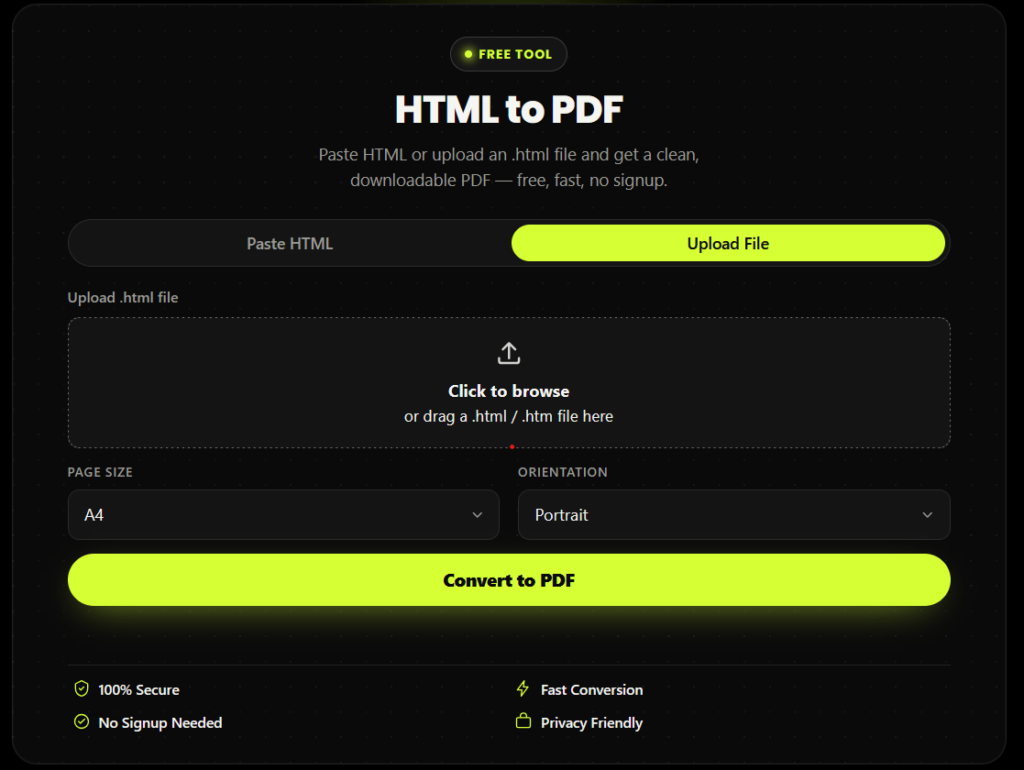
Paste HTML or upload an .html file and get a clean, downloadable PDF — free, fast, no signup.
- 100% Secure
- Fast Conversion
- No Signup Needed
- Privacy Friendly
How to Convert HTML to PDF for Free
Converting HTML to PDF with this free HTML to PDF converter takes three steps:
Choose your input
Paste raw HTML code into the text box, or switch to the "Upload File" tab and select a .html / .htm file from your device.
Pick your page settings
Choose a page size (A4, Letter, Legal, or A3) and orientation (portrait or landscape).
Click "Convert to PDF"
The converter renders your HTML and gives you a download link in seconds, with a live progress bar so you always know it's working.
Why Use This Free HTML to PDF Converter
100% free, every time. Unlike tools that gate PDF export behind a paywall after a few uses, this HTML to PDF converter free tool has no daily limit.
No signup required. Convert HTML to PDF online without creating an account or handing over your email.
No watermark. The PDF you download is clean — no branding stamped across your document.
Two ways to convert. Paste HTML code directly, or upload an HTML file — most converters online only offer one of these.
Privacy-friendly. Files are processed and then automatically removed; nothing is kept longer than necessary.
Works on mobile. The entire tool is fully responsive, so you can convert HTML to PDF from your phone just as easily as from a desktop.
Who Uses an HTML to PDF Converter?
Developers
turning an HTML invoice, report, or email template into a shareable PDF file.
Students and writers
converting HTML notes or drafts into a printable PDF document.
Small business owners
who need to convert an HTML file to PDF for a quote, contract, or client-facing document.
Marketers and bloggers
archiving an HTML landing page as a static PDF snapshot.
Anyone
who just needs to save HTML as PDF quickly, from any device, without installing software.
Paste HTML or Upload a File — Two Easy Ways to Convert
Most tools that convert HTML to PDF online only let you do one thing: paste code. This converter supports both:
Paste HTML
Ideal when you're working directly in a code editor.
Upload File
Ideal when you already have a saved .html or .htm file and don't want to open and copy its contents manually.
Why This Tool Is Better Than Other PDF Tools
Unlike many popular PDF platforms such as iLovePDF, and Adobe Acrobat Online, this tool freeconvertzo is designed with a simpler, privacy-first experience — so you can complete your PDF task without unnecessary signup steps, complicated interfaces, or waiting for cloud processing. Instead of sending your files to a remote server, browser-based processing can keep your documents on your own device, making the workflow faster, more private, and convenient. Whether you need to add a password, edit, convert, compress, or manage a PDF, this tool focuses on free access, no-watermark output, simple controls, and instant results without making users navigate through unnecessary features or account requirements.
FAQ
Frequently Asked Questions
Is this HTML to PDF converter really free?
Yes. This is a completely free HTML to PDF converter — there’s no signup, no credit card, no watermark, and no limit on how many times you can convert. Unlike tools that offer a “free trial” and then charge, every conversion here stays free.
Will my CSS styling and layout stay the same in the PDF?
Yes. Standard CSS — including fonts, colors, tables, borders, padding, and most layout properties — is preserved when you convert HTML to PDF, so the output matches your original design closely.
Will images in my HTML show up in the converted PDF?
Yes. Images referenced in your HTML — including images loaded from external URLs — are fetched and embedded directly into the PDF during conversion, as long as the image links are publicly accessible.
Do hyperlinks still work after converting HTML to PDF?
Yes, standard <a href> links in your HTML remain clickable in the generated PDF, so readers can still navigate to the original URLs from inside the PDF document.
Will custom fonts render correctly in the PDF?
Web fonts loaded via @font-face or linked stylesheets typically render correctly when the conversion has an internet connection to fetch them; fonts referenced only by local file paths on your own computer may fall back to a default font.
How long does it take to convert HTML to PDF?
Most conversions complete in a few seconds. Larger files with many images or complex CSS may take slightly longer, but the tool shows a live progress bar so you always know it’s working.